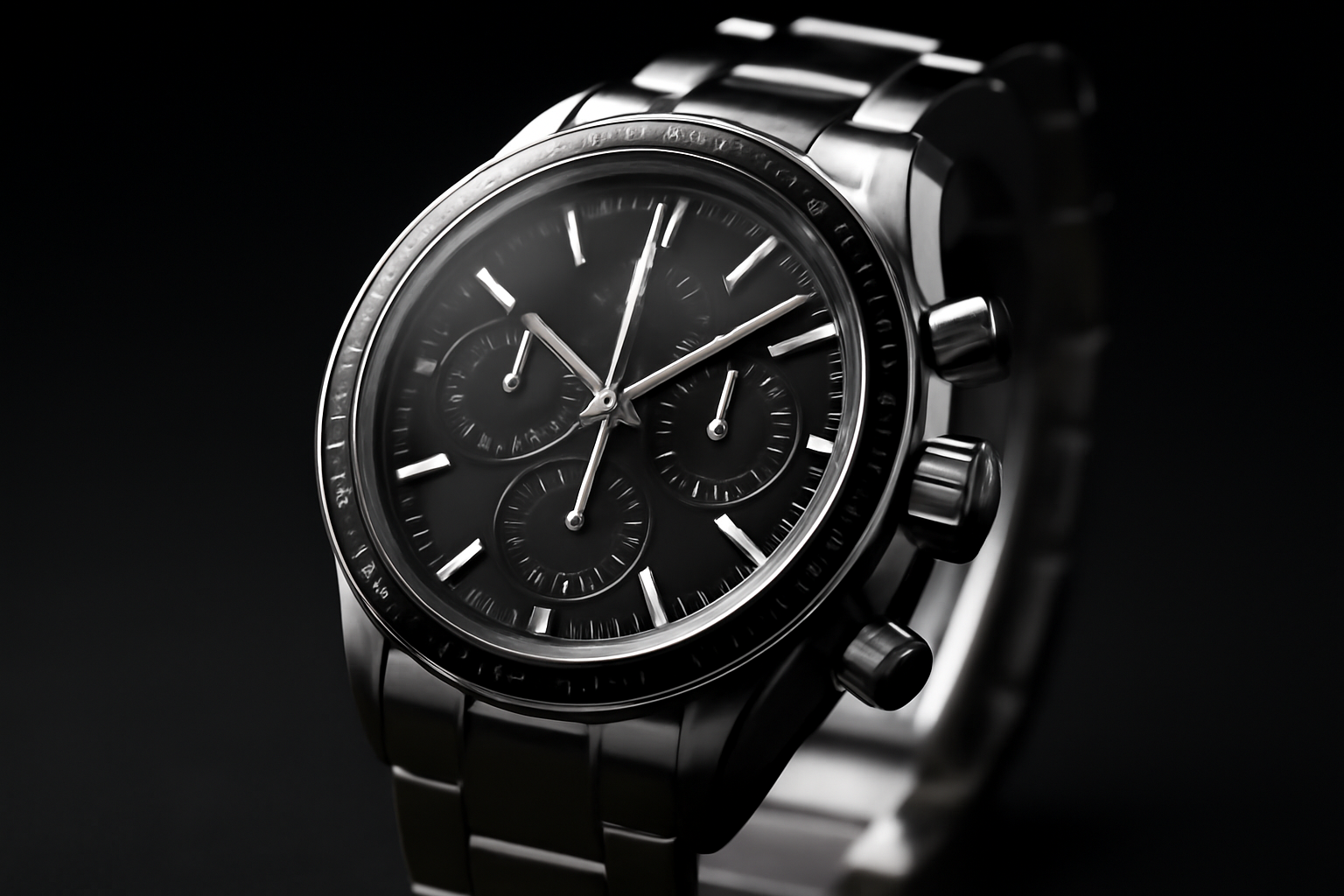
Scroll through enough watch forums and you’ll bump into two flatly contradictory pieces of advice about chronograph pushers. One camp tells beginners to just mash the buttons and let muscle memory sort it out. The other insists you should never touch a pusher on an unfamiliar caliber without first reading the manual cover to cover. The first piece of advice is the dangerous one, and here’s why: on plenty of movements, pressing the wrong button in the wrong order doesn’t just give you a confusing result — it can physically bend a component inside the case. I learned that distinction the hard way, standing in front of a patient watchmaker after resetting a running chronograph and watching the hands do something they clearly weren’t supposed to do. If you’ve ever eyed those two little buttons flanking a chronograph’s crown and wondered what they’re actually for, you’re nowhere near alone — and the answer is worth more of your attention than most watch writing gives it.
What is a watch pusher?
A pusher is a button on the side of a watch case, separate from the crown, that operates a function rather than setting the time. On a chronograph there are normally two: the upper pusher starts and stops the timing, and the lower one resets the hands to zero. Pushers also appear on other complications — date correctors, alarms, GMT hands — but the chronograph pair is what most people mean by the word.
Ten-plus years into this habit, I’ve run chronographs spanning nearly every price tier — a workhorse Seiko SNDG55 that set me back $150 used, all the way up to a vintage Heuer Autavia ticking away on an original Caliber 11. What I’ve noticed is that the pushers don’t behave identically from one watch to the next; the movement underneath dictates the feel and the rules. That distinction isn’t trivia — it’s the difference between using the complication properly and slowly grinding down something delicate inside the case. So here’s the rundown I wish someone had handed me back when I was still pressing the wrong button.
So What Exactly Counts as a Chronograph?
At its core, a chronograph is just a watch with a stopwatch bolted onto it — one that runs on its own timeline, separate from the hours and minutes doing their regular job. The name traces back to Greek: chronos for time, grapho for write, a nod to the earliest versions that literally scratched ink marks onto paper dials. Whether the engine underneath is mechanical or quartz, the job hasn’t changed: start a stopwatch, stop it, zero it out, and never disturb the regular timekeeping while you do it.
You’ll usually spot the complication through subdials — those small sunken registers set into the dial. A no-frills chronograph tracks elapsed seconds with a central sweep hand, backed up by a 30-minute counter and, on some models, a 12-hour counter tucked into a subdial. Don’t lump this in with a tachymeter, telemeter, or pulsometer, though — those are just printed scales, usually on the bezel, that let you translate the chronograph’s readings into speed, distance, or a heart rate. They ride along with the function; they aren’t buttons of their own.
The Two Pushers, Demystified
Nearly every traditional chronograph gives you two buttons poking out from the case side. Almost without exception, you’ll find them at 2 o’clock and 4 o’clock, bracketing the crown that sits at 3. Breitling locked this arrangement in with its 1934 patent on the two-pusher chronograph, and the layout has stuck around essentially unchanged ever since. This is exactly the spot where I see newer collectors trip up most often, so let’s be blunt about what each button actually controls.
Upper Pusher, 2 O’Clock: Starting and Stopping the Count
The button sitting at 2 o’clock is your on/off switch for the whole complication. One push and the sweep hand takes off; push it again and it stops dead, mid-measurement, holding whatever elapsed time it caught. Nothing gets erased at this stage — the dial simply pauses. Push that top button once more and the sweep hand picks right back up from wherever it left off. I’ve tested this toggle across a long run of column-wheel and cam-operated calibers, and it behaves the same reliable way on almost every one of them.
Lower Pusher, 4 O’Clock: Zeroing Everything Out
The 4 o’clock button sends every chronograph hand home to zero — the central sweep second, the 30-minute register, and the 12-hour counter, if the watch has one. Here’s the rule that cost me money to learn: do not hit that reset button while the chronograph is still running. On any movement lacking flyback capability (covered a bit further down), a mid-run reset can chip or bend the little reset hammer tucked inside the movement. It happened to a Tissot PR516 Chronograph I owned early on — the repair bill landed at $180, more than the watch itself had cost me. Stop the count first. Reset second. Always in that order.
Column Wheel or Cam-Operated: Why Pusher Feel Isn’t the Same Everywhere
Chronograph movements aren’t built the same way under the hood, and that architecture is exactly what you feel through your fingertip when you press a pusher. There are two competing designs to know: the column-wheel and the cam-operated, sometimes called lateral-clutch. Once you understand the split, you’ll have a better sense of what’s actually happening inside the watch — and what kind of longevity and service bill to expect down the line.
A column-wheel movement relies on a small gear ringed with raised pillars — the “columns” that name the design — to choreograph the start, stop, and reset levers with real precision. The result is a pusher that feels crisp, light, almost satisfying to click. Seiko’s NE88 caliber, found in the SSC line, runs a column wheel at a price point under $300, which is genuinely impressive engineering for the money. Vintage Valjoux 72 and 7750 movements are the classic column-wheel names. In my hands, that tactile difference is not subtle — column-wheel pushers just feel noticeably better.
A cam-operated chronograph swaps that column wheel out for a more straightforward lever setup. You’ll notice the pushers feel a touch heavier and less refined — not a flaw exactly, just a different character. ETA’s 2894-2 and a lot of budget-friendly movements lean on this design. In exchange, cam-operated calibers tend to be sturdy and cheaper to service. For a daily-wear chronograph in the $200–$500 range, that trade-off is entirely reasonable. Where the difference actually starts to matter is if you’re pressing those pushers hundreds of times a week, or comparing two watches side by side.
Flyback Chronographs and the Pusher Trick They Enable
Certain higher-tier chronographs add a “flyback,” or retour en vol, function. Rather than making you stop, reset, and restart across three separate button presses, a flyback caliber lets one press of the reset pusher do the reset and restart simultaneously. The hands snap to zero and immediately resume the count — that’s where the name comes from.
The feature was originally built for pilots and navigators who needed to clock back-to-back flight legs with no wasted motion. The Longines L688.2 caliber and IWC’s caliber 89360 are textbook flyback examples. On a genuine flyback watch, hitting the bottom pusher mid-run isn’t a risk — it’s exactly how the watch is meant to be used. But that trick only works on true flyback calibers. Try it on a regular movement and you’re right back to damaging the reset hammer. When in doubt, look up your specific movement’s spec sheet before you press anything.
Rattrapante, or Split-Second Chronographs: Twin Sweep Hands
The rattrapante, or split-second chronograph, is the rarest breed of the bunch. These carry two chronograph sweep hands stacked on top of each other, plus a third pusher — usually parked at 10 o’clock or built into the crown itself. Press that extra button and it “catches” one hand in place while the other keeps sweeping, letting you log an intermediate split or lap without interrupting the overall timing run. Press it again and the caught hand releases, snapping forward to rejoin its twin. Rattrapante movements like Patek Philippe’s CH 27-70 Q or Breitling’s Caliber 01 in split-second trim are mechanically dense in the extreme. Budget north of $1,000 when service time inevitably rolls around.
Putting It to Work: Timing Something the Right Way
Understanding what the pushers do is step one. Actually using them, confidently and without second-guessing, is a different skill entirely. Here’s the sequence I default to for everything from clocking an espresso pull to counting laps at the track:
- Give the top pusher (2 o’clock) a single press to set the sweep hand moving.
- Track the elapsed time off the sweep hand and any subdials you need.
- Press the top pusher a second time to halt the sweep hand where it stands.
- Take note of whatever the subdials are showing.
- Hit the bottom pusher (4 o’clock) to send every hand back to zero.
That order works on essentially any chronograph. Stick to it and you won’t put a standard mechanism at risk. The one exception, as covered above, is a confirmed flyback caliber — though even there, defaulting to stop-first is a smart habit until you’ve fully learned your specific watch.
One additional word of caution: leave the pushers alone underwater unless your particular chronograph is explicitly rated for that. A surprising number of dress chronographs, even ones carrying a 50m water resistance rating, were never engineered for pusher use while submerged — the gaskets around the pushers are often the weakest link in the whole case when it comes to keeping water out. Dive-oriented chronographs like the Seiko SRPA79 or the Oris Aquis Chronograph get around this with screw-down pushers, but remember to unlock them before you try to use them.
The Winder That Kept My Chronograph Running Between Practice Sessions
Once the mechanics of a chronograph actually click for you, you’ll want to run the sequence over and over. Keeping an automatic chronograph wound and ready means you can drill those pusher sequences without wondering whether a dead movement is throwing off your timing.
Where it earns its keep
- A genuinely quiet Japanese motor means you’re not hearing the winder over your own attempt to learn the chronograph’s rhythm — the silence leaves your attention free for the mechanics themselves.
- Built for a single watch, it keeps your practice piece front and center and visible, so a glance tells you the dial’s still moving without sorting through a lineup of other watches.
- Rotation settings you can dial in yourself mean matching the winder to your chronograph’s actual movement requirements, instead of guessing at whether hand-winding got it right.
Where it falls short
- Its small footprint still claims real estate on a desk or nightstand — a problem if space is already tight wherever you’re doing your practicing.
- You’re still on the hook for knowing your particular movement’s winding direction and rotation count — the winder handles repetition, not the homework.
I hesitated at first, wondering if a winder was overkill for learning one watch—until I realized I’d been hand-winding my practice chronograph inconsistently, sometimes over-winding it before a session. Check the Mcbazel Single Watch Winder with Ultra Quiet Japanese Motor if you’re serious about building real fluency with your chronograph’s pushers.
Watch Pushers: Common Questions
What is the purpose of the push buttons on a chronograph?
They drive the stopwatch, not the time. The upper pusher starts and stops the chronograph hands; the lower one returns them to zero. Neither affects the running of the watch itself, which keeps normal time throughout.
What is the difference between a pusher and a crown?
The crown winds the mainspring and sets the time and date, and it turns as well as pulls out. A pusher only pushes, and it triggers a function — timing, a date correction, an alarm — rather than setting anything.
Can you press chronograph pushers underwater?
Not unless the watch is specifically built for it. On most chronographs the pusher stems are a weak point for water ingress, and pressing them while submerged is one of the more reliable ways to flood a movement. Screw-down pushers exist precisely to solve this, and they need to be screwed down to work.
About This Article

Written by Ellen Ashford. Watch collector, fountain pen enthusiast, and lifelong journaler. Time & Ink is where I explore the craft of analog living — from vintage timepieces and fine stationery to the simple pleasure of putting pen to paper. More about this site.
Verify this against a primary source
Specifics change, and your situation may differ from the one described here. These are the authorities worth checking directly:
- NAWCC — horological reference, archives and research library
- Smithsonian Institution — collection records for historic timepieces and writing instruments